
Most guarding shifts are worked alone: one officer on a gatehouse, a vacant site or a night retail post. BOOK ON gives the control room the three things a lone worker policy needs: an Alone filter on the live monitor that lists every lone worker on shift, check calls answered from the app and shown against the shift, and the officer’s position on the Monitor Location map. On alarm response contracts, a lone worker device alarm is handled in the alarm control centre with a priority, an SLA clock and a responder.
How lone workers are protected in BOOK ON
Lone shifts are identified
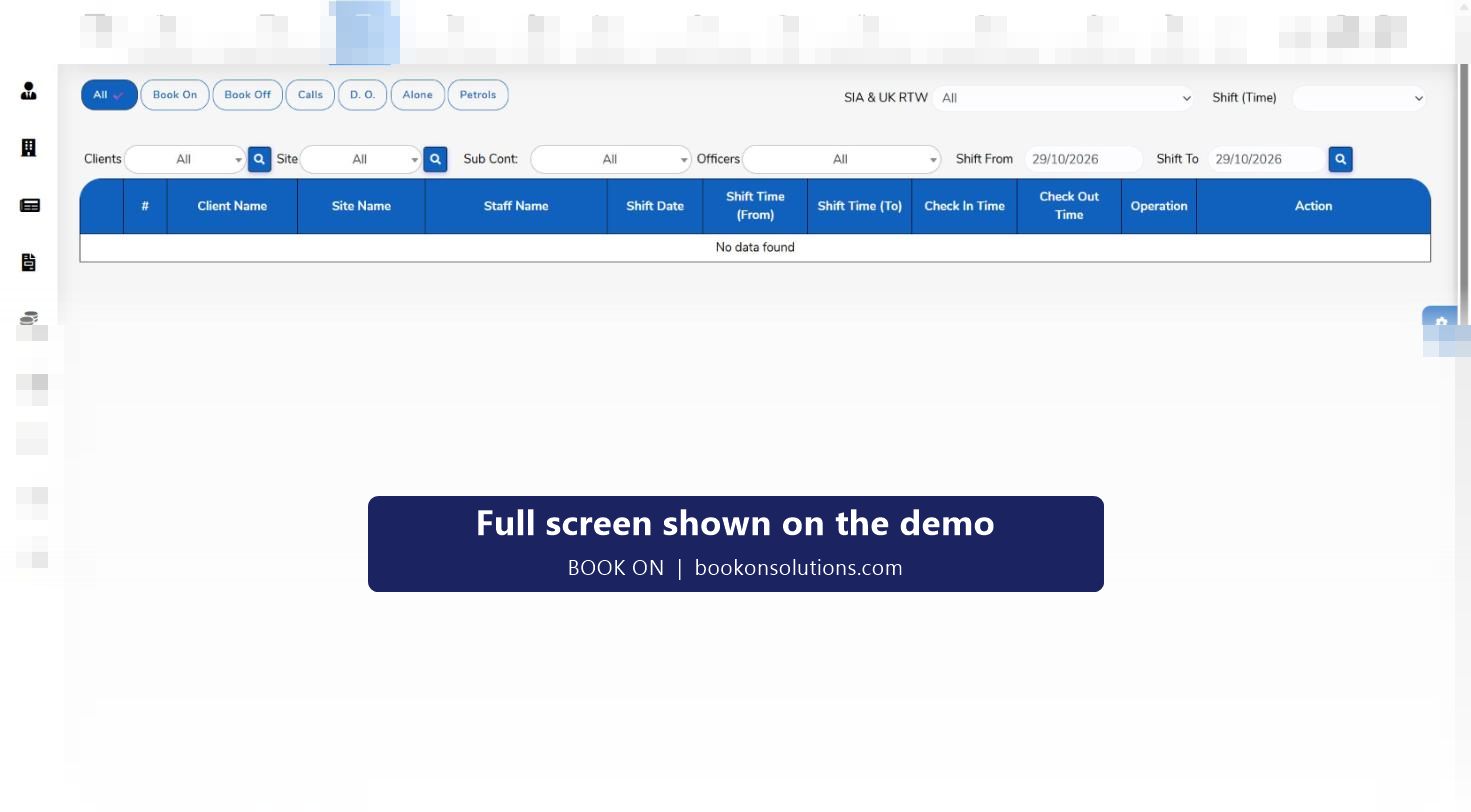
The live monitor’s Alone filter shows shifts where one officer covers the post, so the controller knows who needs welfare checks tonight.
Check calls are scheduled
Assignment instructions set the call frequency for the post. The officer answers each call from the BOOK ON app and it appears on the Calls filter with its time.
Position is known
Monitor Location shows booked-on officers on a map, and Officer Movement replays where an officer has been during the shift.
A missed call is escalated
A due call with no record stands out on the monitor. The controller phones the officer, then follows the escalation procedure; the Chase Up History report records what was done.
Device alarms are handled
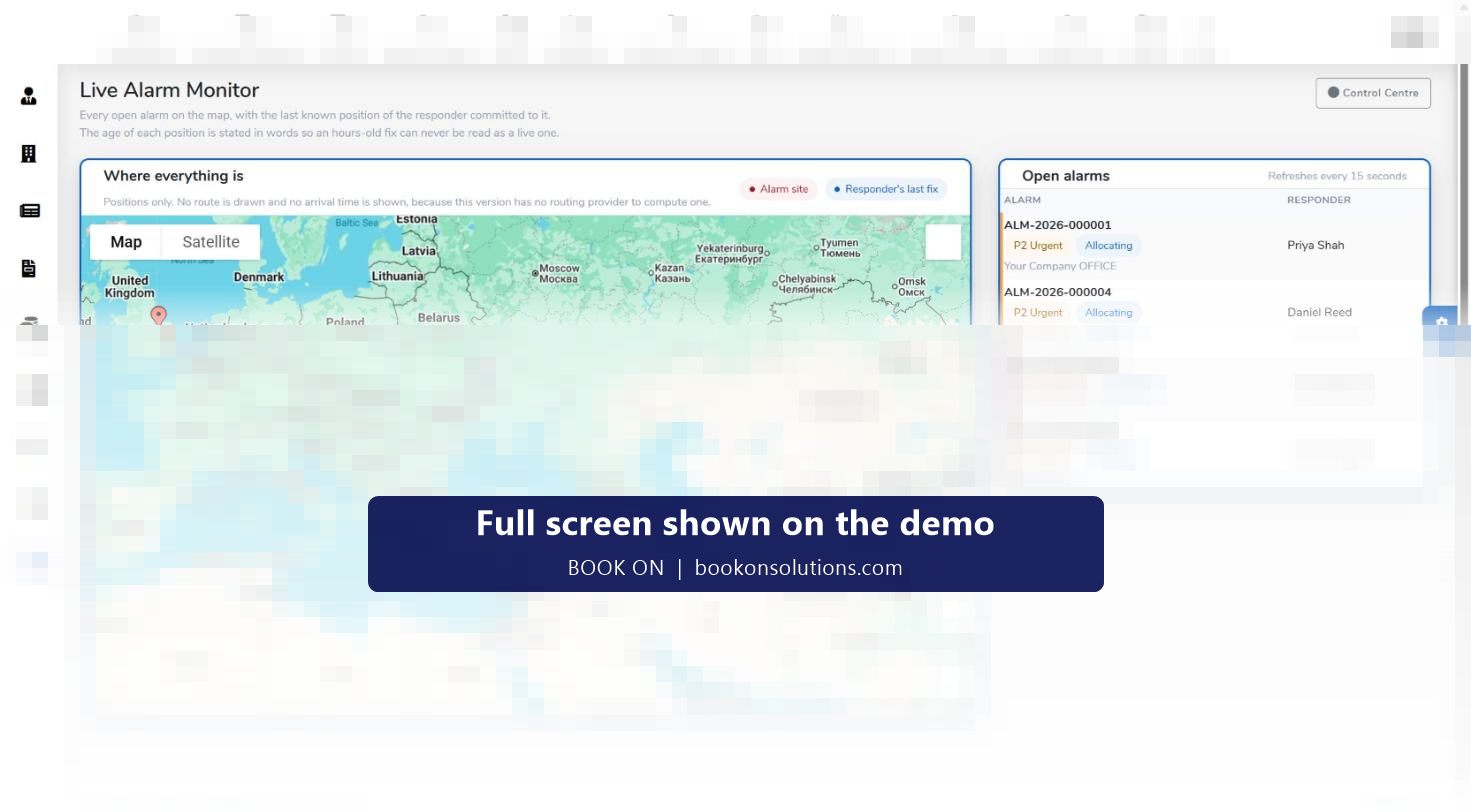
On response contracts a lone worker device alarm is raised in the alarm control centre as a typed alarm with priority, SLA clock and responder, and the Live Alarm Monitor shows the alarm site and the responder’s last known position.
Evidence is kept
The Check Calls Log / Lone Worker report, the Calls report and the alarm reports give the welfare history by site and period for the client, the insurer and an ACS assessor.
The employer’s duty, in practice
The Health and Safety at Work etc. Act 1974 and the Management of Health and Safety at Work Regulations 1999 require an employer to assess risks to employees, and HSE guidance on lone working expects monitoring and emergency procedures to be in place. For a guarding company that means knowing who is alone, confirming they are safe at agreed intervals, knowing where they are, and being able to respond. BOOK ON records each of those steps against the shift so the procedure can be shown to have been followed, not just written.
- Alone filter for who is working alone
- Check calls with times on the live monitor and in call reports
- Position on the Monitor Location map and movement replay
- Alarm control centre with SLA clock for lone worker device alarms
- Site risk assessment and assignment instruction reports in the client file
Lone worker alarms with a clock on them
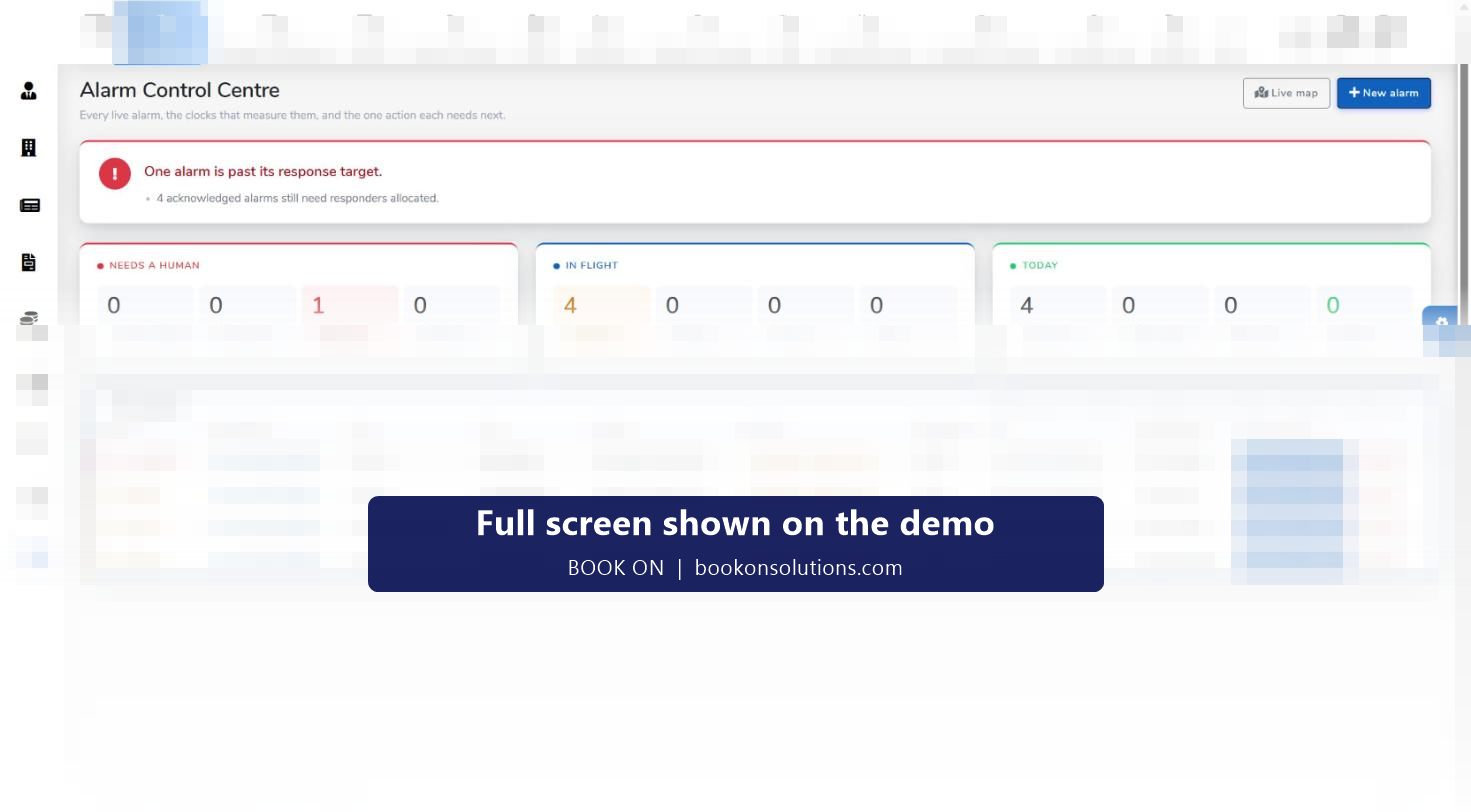
A lone worker device alarm is one of the alarm types the control centre handles, alongside intruder and fire. Each alarm carries a priority, a reference, the site and client, the time received, the SLA time remaining and the responder, and the board’s counters show alarms that need a human, alarms past target and safety-open alarms. Alarm reports then give SLA performance and breaches by site and period.
Lone worker records at a glance
| Need | BOOK ON screen or report | Used by |
|---|---|---|
| Who is alone | Live monitor, Alone filter | Control room |
| Are they safe | Check calls on the Calls filter; Calls report; Chase Up History report | Control room, supervisors |
| Where are they | Monitor Location map, Officer Movement, Zig Zag Report | Control room |
| Device alarm | Alarm control centre, Live Alarm Monitor | Response desk |
| Evidence for the client | Check Calls Log / Lone Worker report, Monthly Site Visit report | Account managers |
| Risk assessment and instructions | Site Risk Assessment and Assignment Instructions reports in the client file | Operations, compliance |
Lone worker questions
Does BOOK ON replace a lone worker device?
BOOK ON records check calls, lone worker shifts and position, and handles lone worker device alarms in the control centre. Whether a post also needs a dedicated BS 8484 device is a risk assessment decision; the two work together.
Is there a panic or man-down button in the app?
The officer app covers book-on, check calls, patrols, daily occurrence entries and incident reports. Any panic or man-down function for your sites is confirmed during onboarding rather than promised here.
How quickly does a missed call show?
The live monitor lists calls against each shift as they are recorded, so a gap at the due time is visible to the controller watching the board.
Can clients see the welfare record?
Yes. The Check Calls Log / Lone Worker report is part of the client file reports, and call reports can be produced by site and period.
What about officers on mobile patrols?
Mobile patrol officers book on to their shift, answer check calls and are shown on the map in the same way, and their visits are recorded as patrol events.
Related features
Show us your lone worker posts
On the demo we set up a lone shift, answer a check call from a phone and raise a lone worker alarm in the control centre.