
An operations manager’s day is a list of posts and the question of whether each one is covered, by a licensed officer, who turned up. BOOK ON answers it on two screens: the client roster, where shifts are planned, assigned, confirmed and copied forward with counters for what is still open, and the live monitor, where every book-on, check call, patrol and daily occurrence entry appears as it happens. The manager dashboard then lists what needs a decision: late arrivals to approve, event reports to review, officers on their seventh consecutive day.
What an operations manager gets
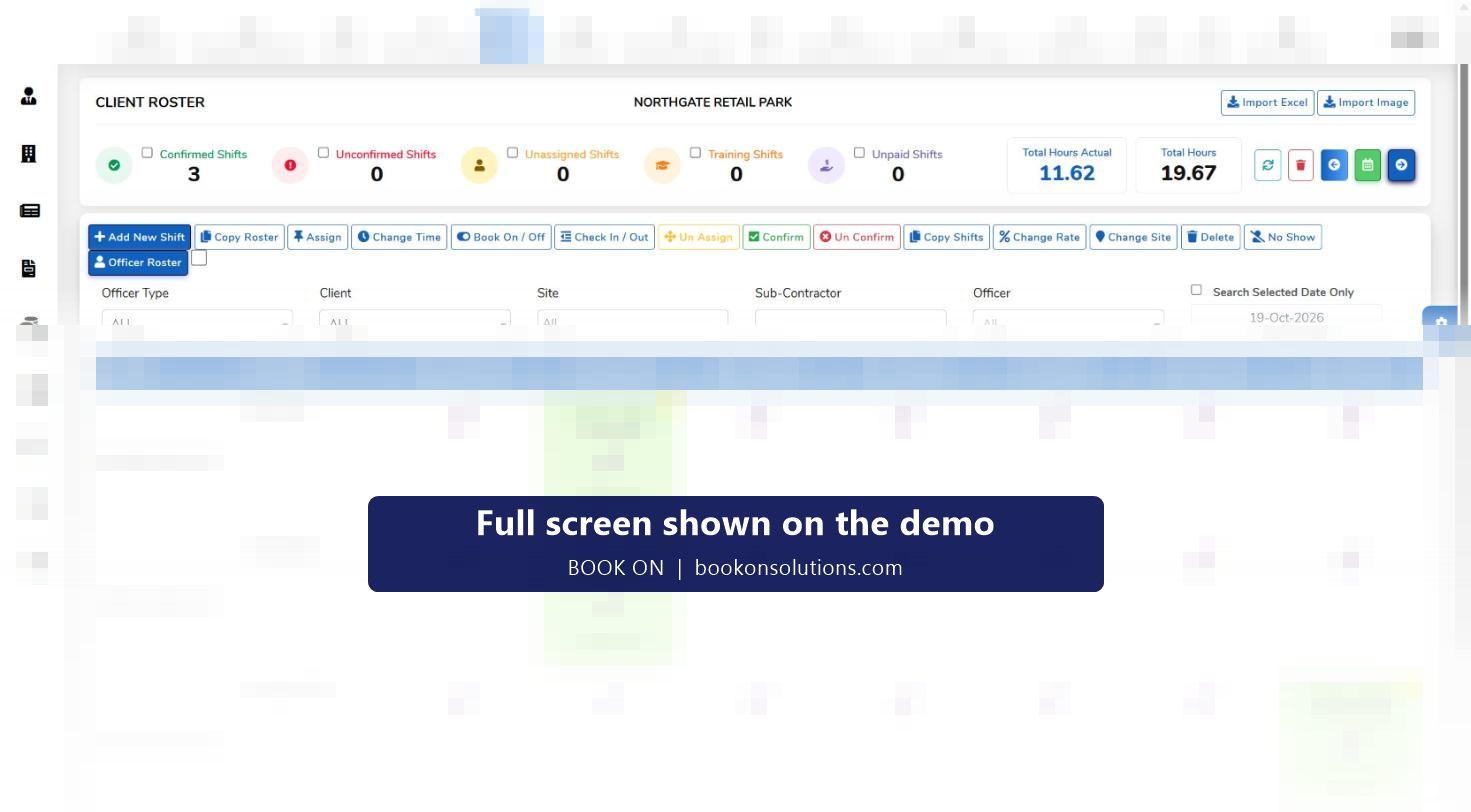
A rota that copies itself
Copy Roster and Copy Shifts carry patterns forward; Import Excel brings a client’s plan in; counters show unassigned, unconfirmed, training and unpaid shifts.
Cover in minutes
No Show on the roster, Near By Officers by postcode, radius, licence and transport, assign and confirm. The replacement sees the shift in the app.
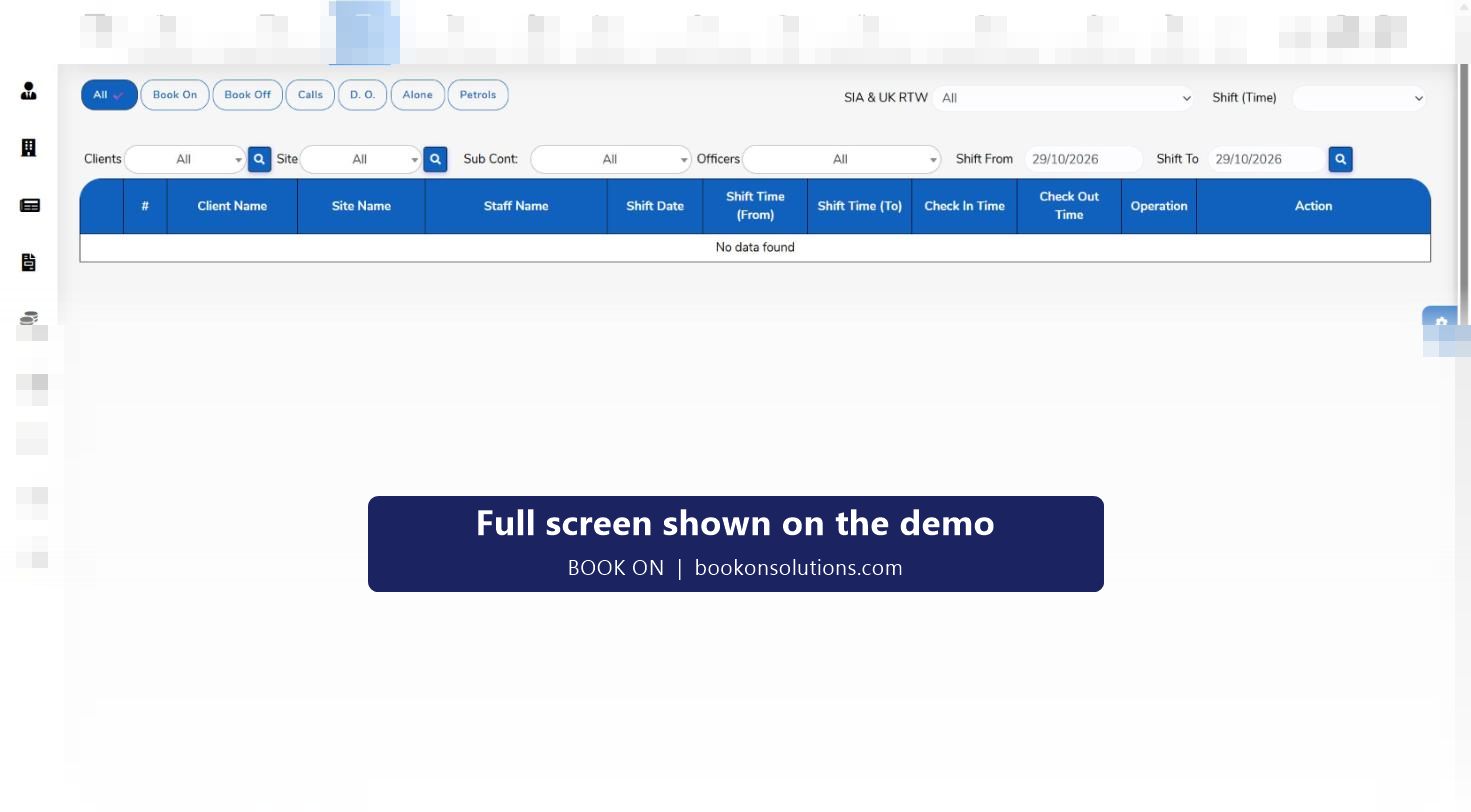
Who is on site, now
The live monitor lists book-ons with check-in times, filtered by Book On, Book Off, Calls, D.O., Alone and Patrols, with an SIA and right-to-work filter.
Welfare without a phone list
The Alone filter shows lone workers, check calls appear with their times, and Monitor Location shows where officers are.
Incidents reviewed, not lost
Typed events from the app with photos; new reports queue on the manager dashboard; edit, email and PDF per event.
Handover that works
Handover tasks and tickets with attachments and unread counts pass open items between shifts and departments.
A shift from the operations chair
- Morning: the manager dashboard shows late-arrival approvals, officer event reports and consecutive-work alerts from the night.
- Planning: next week is copied forward; unassigned shifts are filled, with Near By Officers for the awkward ones.
- Afternoon: client changes are applied with Change Time, Change Site and Change Rate; shifts are confirmed and appear in the app.
- Evening: the live monitor shows book-ons as officers arrive; a shift with no check-in is called.
- Night: the Alone and Calls filters watch lone workers; a missed call is escalated.
- Next morning: the week’s actual hours sit beside planned hours and go to timesheet, payroll and invoice.
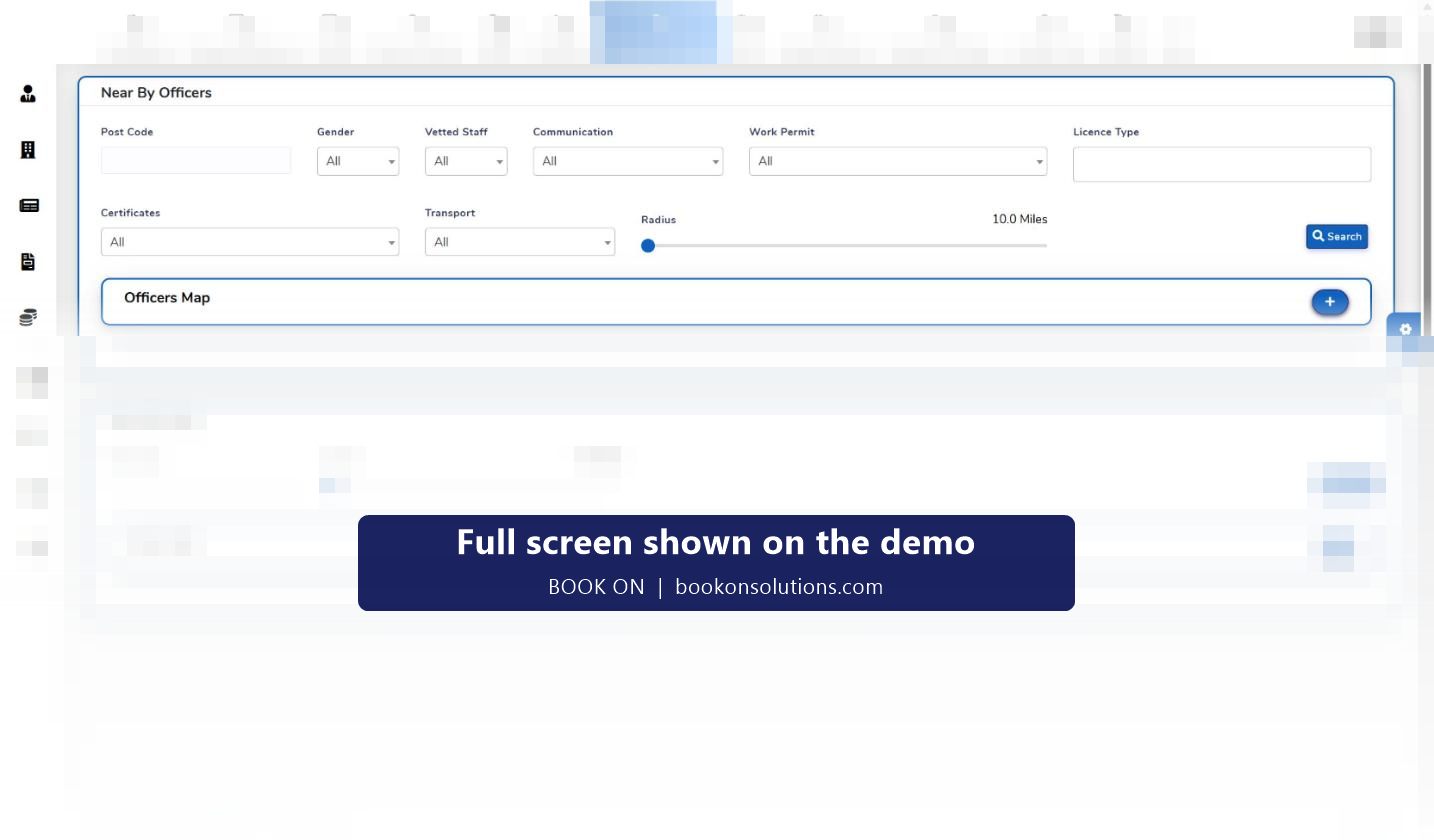
Cover found by distance, not by shouting
The Workforce Location screen (Near By Officers) searches officers within a radius of a postcode and filters them by licence type, vetted status, work permit, certificates and transport, then maps them. It replaces the broadcast message with a shortlist of people who are licensed for the post and can reach it.
The operations manager’s screens
| Task | Screen |
|---|---|
| Plan the week | Client roster, officer roster, Copy Roster, Import Excel |
| Fill a gap | No Show, Near By Officers, Assign, Confirm |
| Watch tonight | Live monitor with filters, Monitor Location |
| Approve exceptions | Manager dashboard: late arrivals, event reports, consecutive work |
| Handle incidents | Incident and Events list, edit, email, PDF |
| Hand over | Handover and Tickets |
| Report to the client | Roster, Site, Shift Status, Calls and Events reports |
Operations questions
Can I run the roster from my phone?
The roster and live monitor are web screens that work in a browser; the officer app is for officers. Control room actions such as recording a book-on are done from the roster.
How do I know a licence is valid before I assign?
The officer record holds the licence and expiry, the employees list has an SIA Check action, and the live monitor’s SIA filter shows status on shift.
What happens when a client changes hours at 16:00 on a Friday?
Change Time on the shift, confirm, and the officer sees the new time in the app. History reports keep the change.
Can supervisors do site visits in the system?
The Monthly Site Visit report is part of the client file reports; how supervisors record visits is set up during onboarding.
How do I stop rest-period breaches?
The manager dashboard’s seven-day consecutive-work alert lists officers who have worked every day of the past week.
Can two controllers work at once?
Yes. Users and roles are managed in administration; the number of logins is agreed on your plan.
Related pages
Run tonight on the demo
Bring a week of rota and we will build it, cover a no-show and watch a book-on land on the monitor.